Sheetz Label Generator · by Kincaid Solutions
Every Build-To label, exactly where it belongs.
A desktop program that turns a list of items, barcodes and build-tos into a sheet of 21 labels. It prints them straight to your printer at actual size, or saves a PDF.
- 3 × 7 labels · US Letter
- Code 128 barcodes
- Windows · Mac · Linux
- Built in Rust
01 · The list
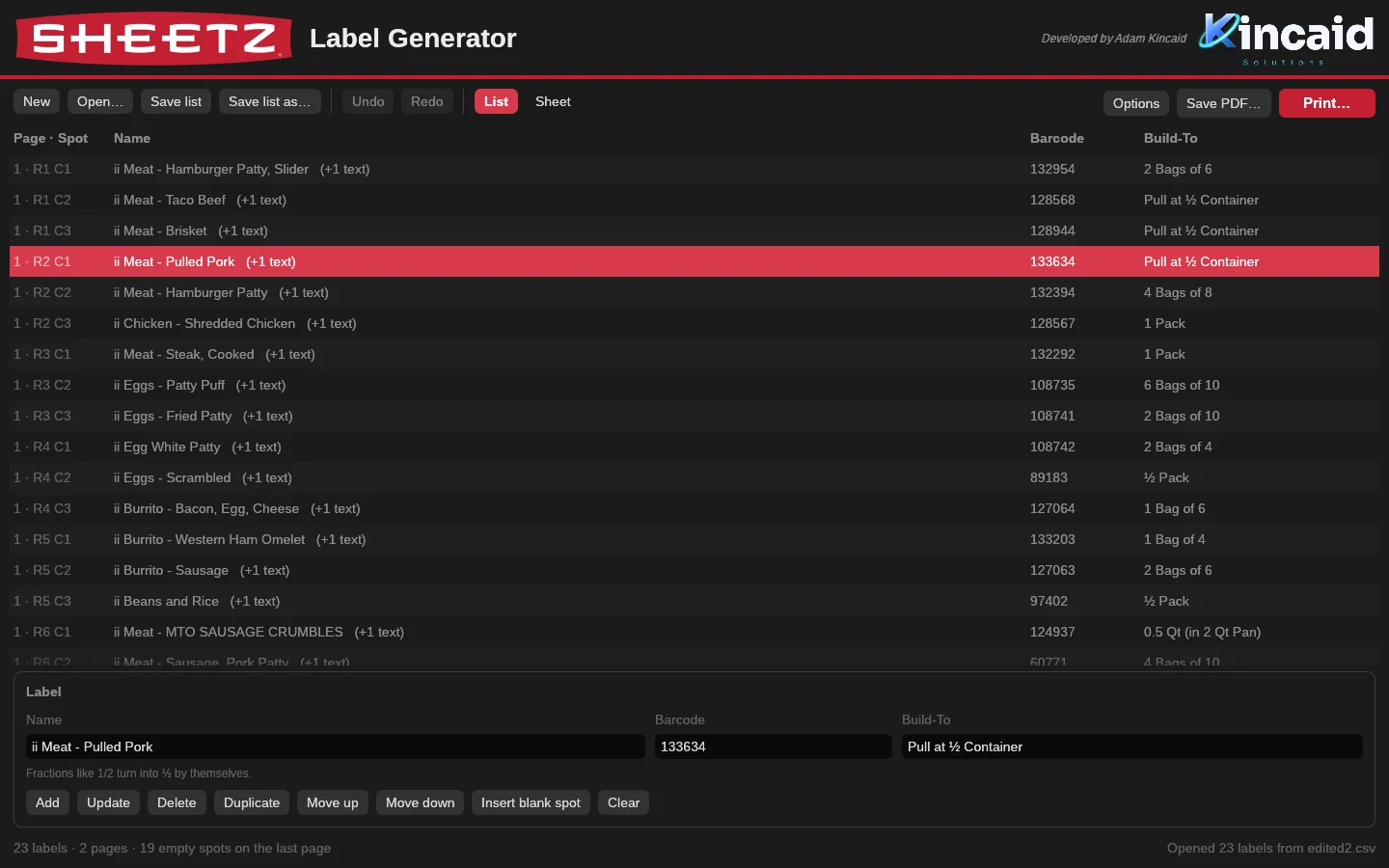
Type it like a list. Get a sheet.
Name, barcode, build-to, Enter. Every row shows the page and spot it will print in, so 1 · R2 C1 is the first label on the second row.
- Fractions fix themselves: 1/2 becomes ½, and 2 1/2 becomes 2 ½.
- Opens CSV lists and the old LibreOffice .odg sheets.
- Ctrl-click and Shift-click to select, then duplicate, move or delete in one go. Ctrl+Z undoes anything.
02 · The sheet
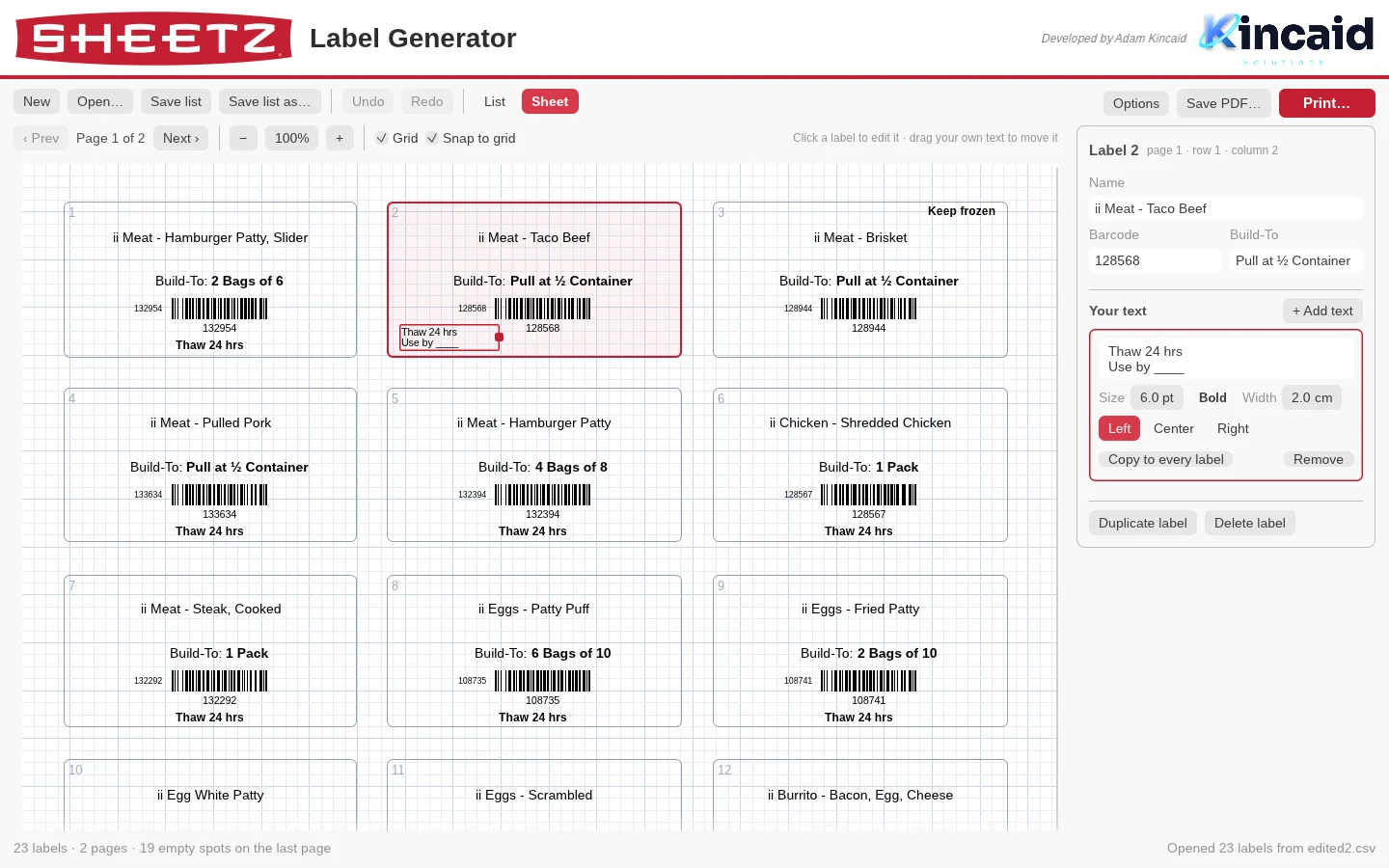
See the sheet. Edit the sheet.
The Sheet view draws the page exactly as it prints, with every label box outlined and numbered on a ¼ cm grid.
- Click a label to change its text. Click an empty box to start a new label right there.
- Add your own notes, like “Thaw 24 hrs” or “Use by ____”. Drag them into place, set size, bold and alignment.
- One click copies a note to every label on the sheet.
03 · Print
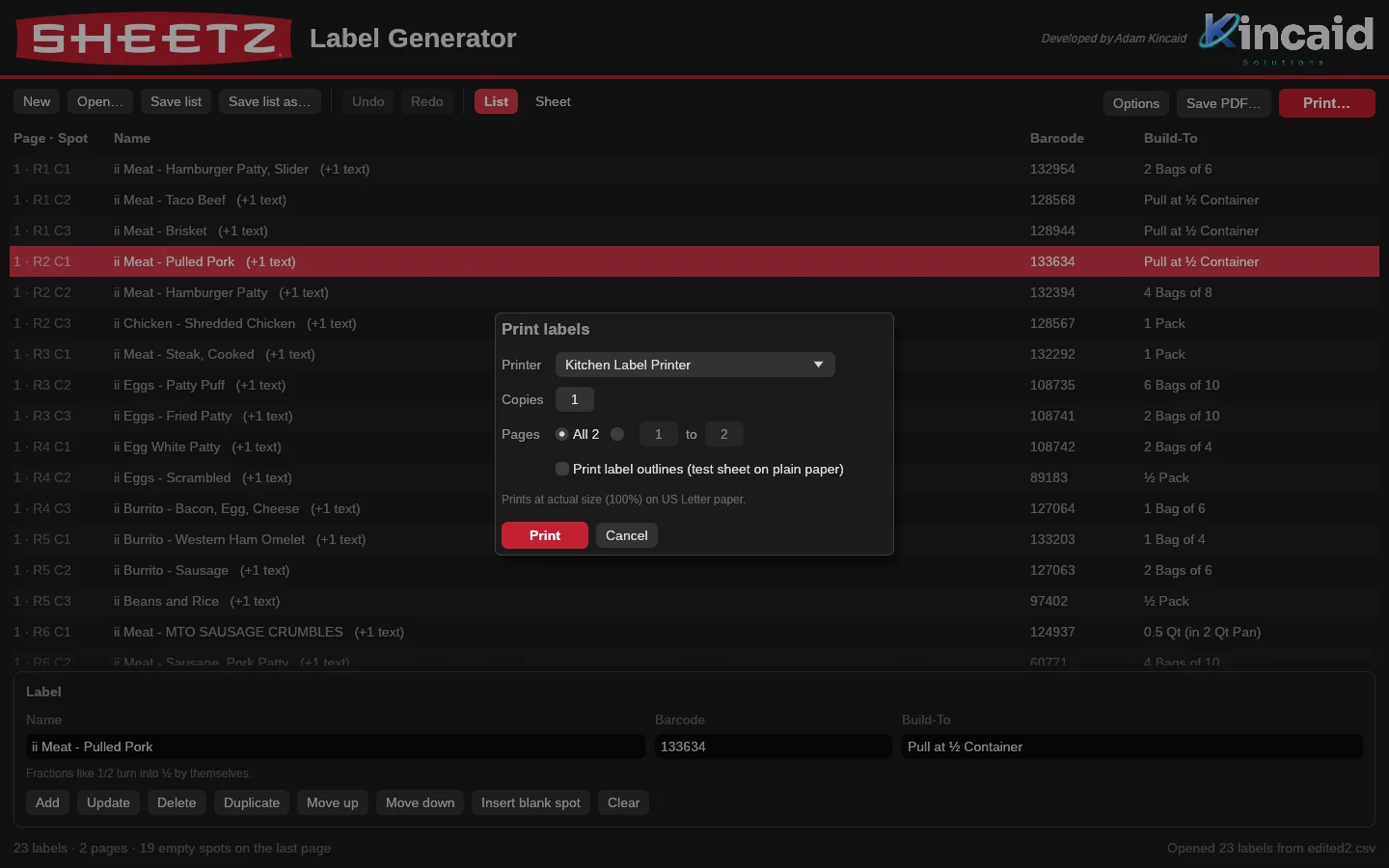
Straight to the printer. At 100%.
Press Ctrl+P, pick the printer, copies and pages. Nothing gets shrunk to fit, so the labels land on the label stock.
- On Windows it draws every letter and bar directly onto the printer page.
- On Mac and Linux it goes through the system print service with scaling turned off.
- Want a file instead? Save PDF makes a sheet of about 30 KB.
04 · Precision
Measured against the original.
The layout was copied from the LibreOffice sheet the store already printed, then checked against it mark by mark.
05 · Everywhere
One program. Three systems.
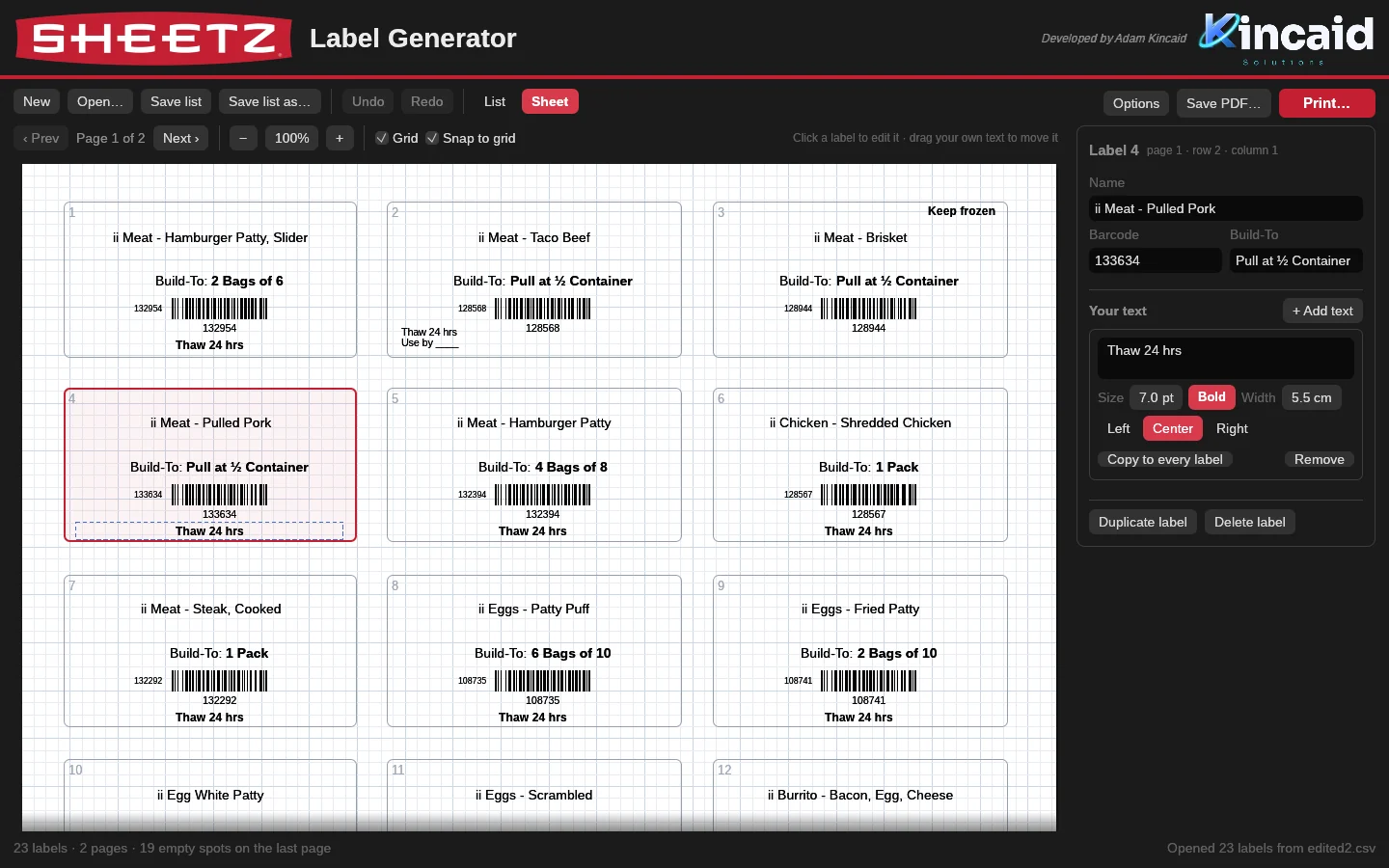
A single file with the fonts, logos and icon built in. It follows the computer’s light or dark mode.
- Windows · one .exe that runs without installing anything else.
- Mac · an app for Apple Silicon and Intel Macs.
- Linux · on regular PCs, and on 64-bit ARM boards like the Raspberry Pi.
06 · Download
Get it. Print today.
Free. One file, with nothing else to install.
Opening it the first time
- Windows may say “Windows protected your PC”. Click More info, then Run anyway.
- Mac: unzip, drag the app to Applications, then right-click it and choose Open. It isn’t signed by Apple.
- Linux: extract the archive and run ./sheetz-label-generator.

Credits
Developed by Adam Kincaid.
Kincaid Solutions builds small, sharp tools for the people doing the work.
An independent tool by Adam Kincaid. It isn’t made, sponsored or endorsed by Sheetz, Inc.; the Sheetz name and logo shown in the screenshots belong to their owner.